
Story & World Adaptation
Break a long novel into events, a timeline and a world bible that every later step treats as fact.
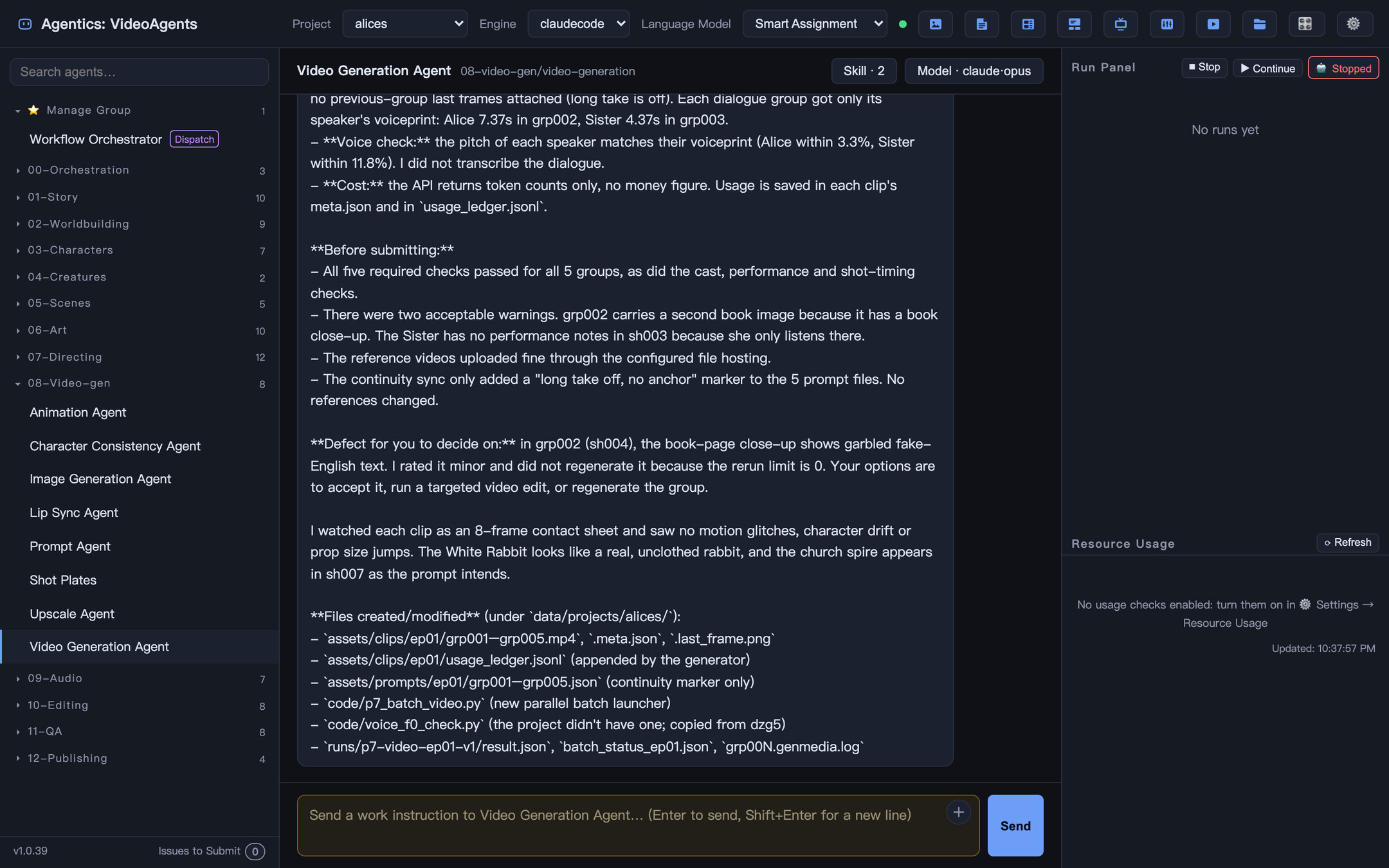
VideoAgents is an open-source, file-based multi-agent production system for turning an idea into episodic video. 118 specialist agents in 17 departments — story, worldbuilding, characters, creatures, scenes, art, directing, video generation, audio, editing, QA and publishing — work through a declarative workflow, and stop at human sign-off gates so the creative direction stays yours. It runs on your machine: your story, the project files and the generated media stay in a local workspace.
Create a project, import the text, pick a visual style, set the episode length and target platforms.
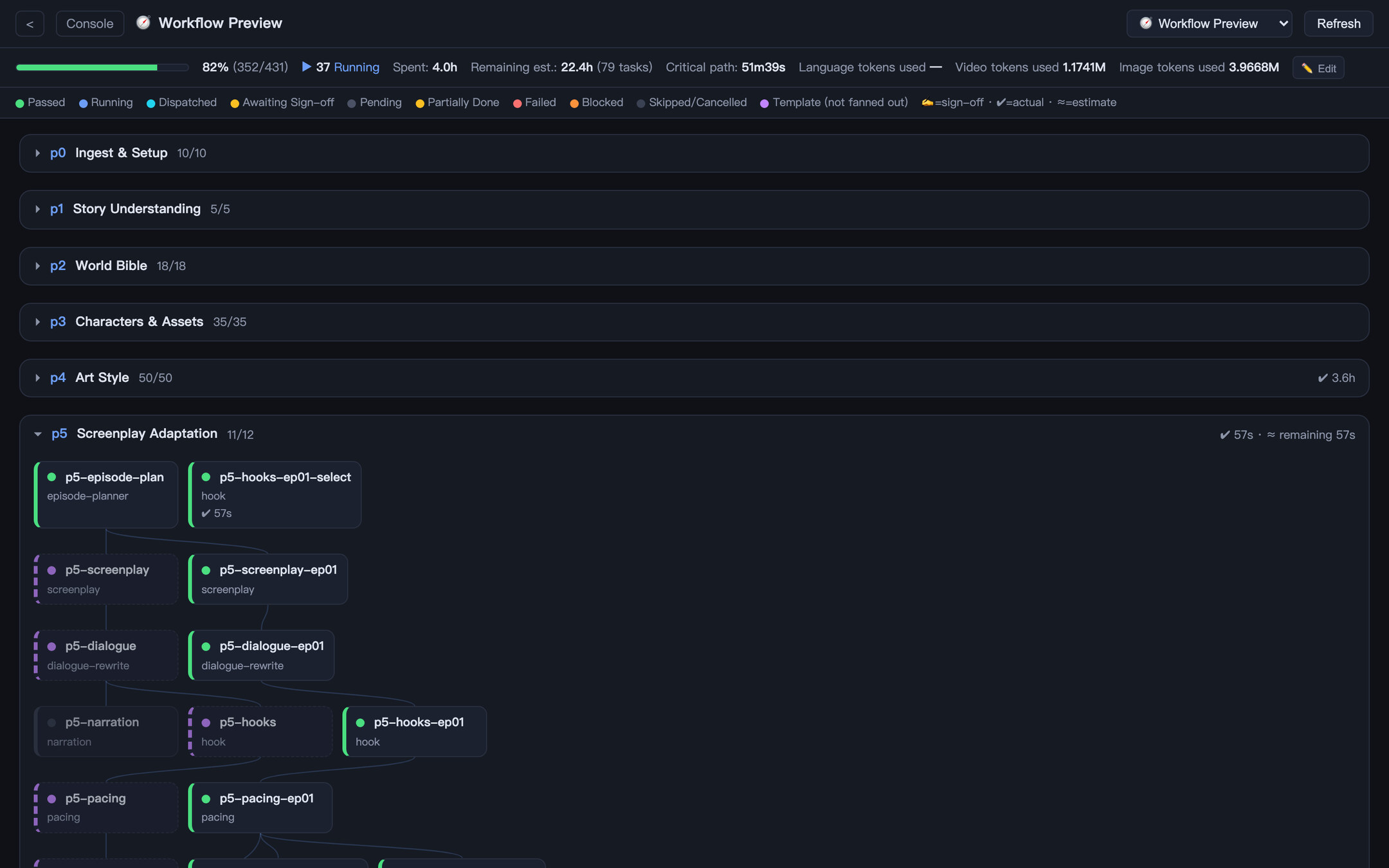
World bible → characters and assets → screenplay → storyboard → 3D whitebox previs → video → sound → edit → post.
Up to 12 gates, from the world bible to the release. Nothing expensive runs before you approve the step that feeds it.
A novel adapted into episodes. The default.
Generated pictures for a narration recording.
Portrait photos plus a conversation recording become lip-synced speaker video.
Shots picked from ready-made clips in your local footage library.
No video model: agents write the film as code in one of 43 styles, with an original score and procedural sound.
One-minute AI shorts hit a wall at ten-minute episodes: props drift, crowded shots fall apart, rerolls eat the budget. VideoAgents keeps a series consistent with a project-wide asset library, a 3D whitebox for blocking and a review step before every paid generation, and every step leaves a file you can open, edit and audit.
Break a long novel into events, a timeline and a world bible that every later step treats as fact.
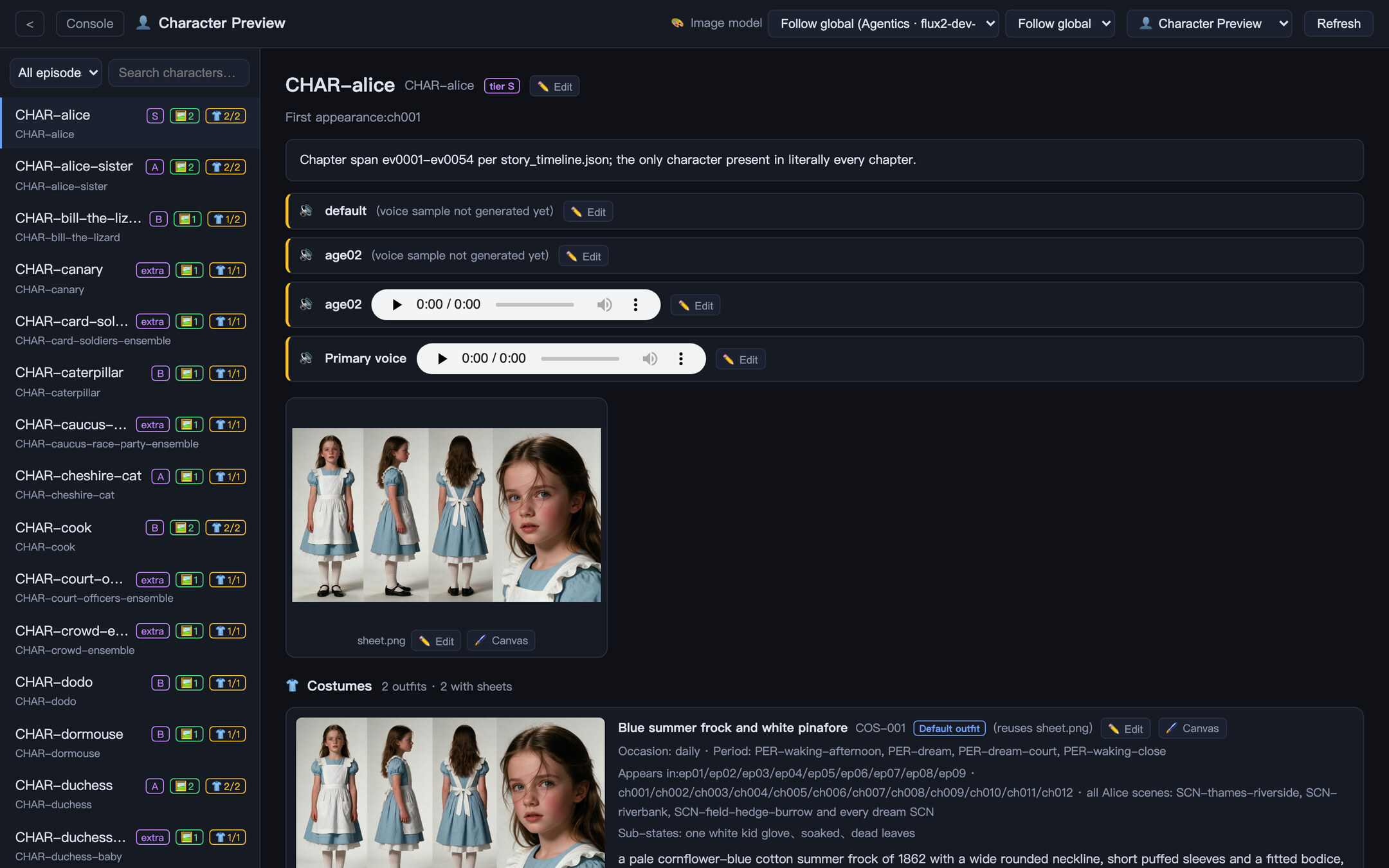
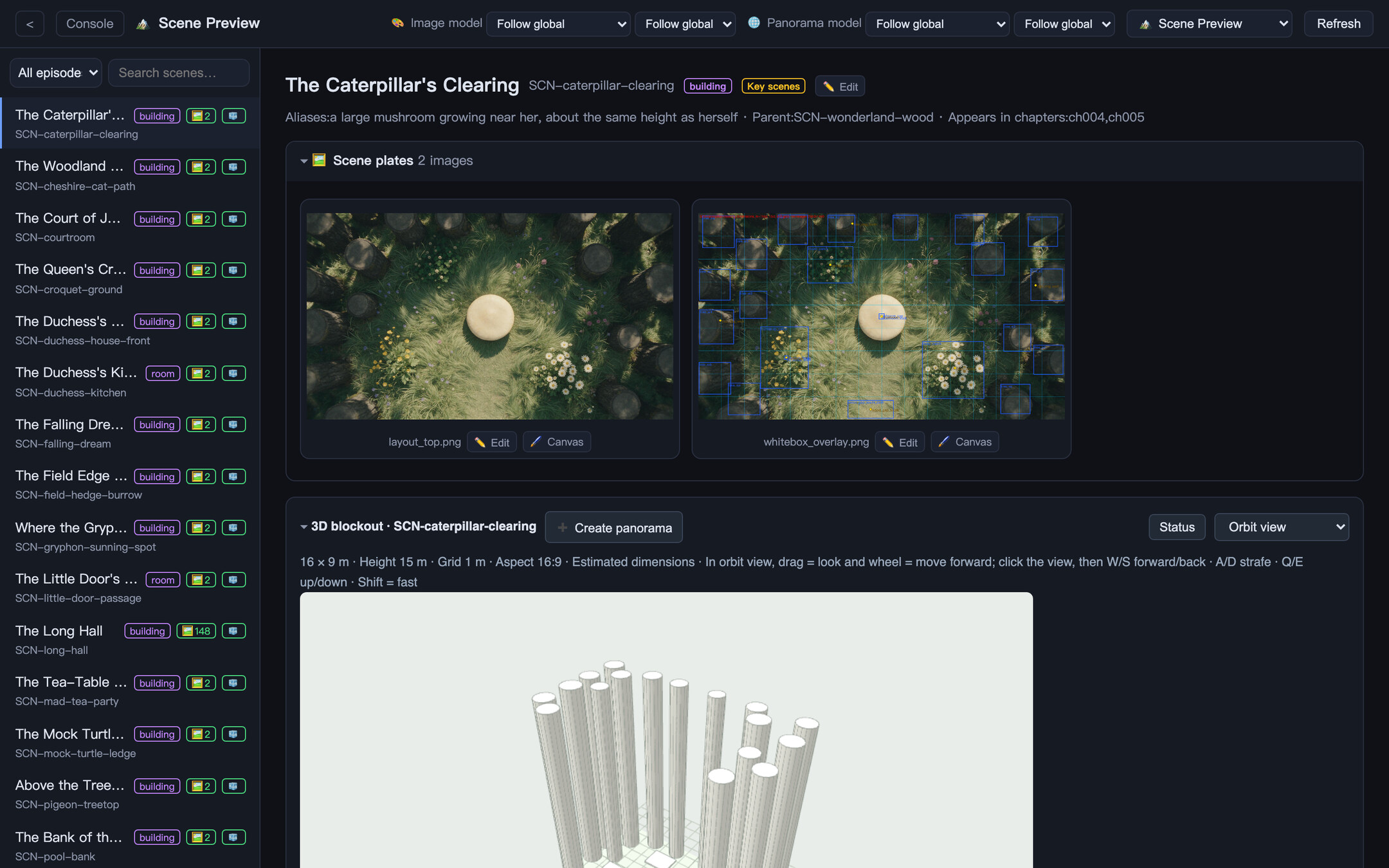
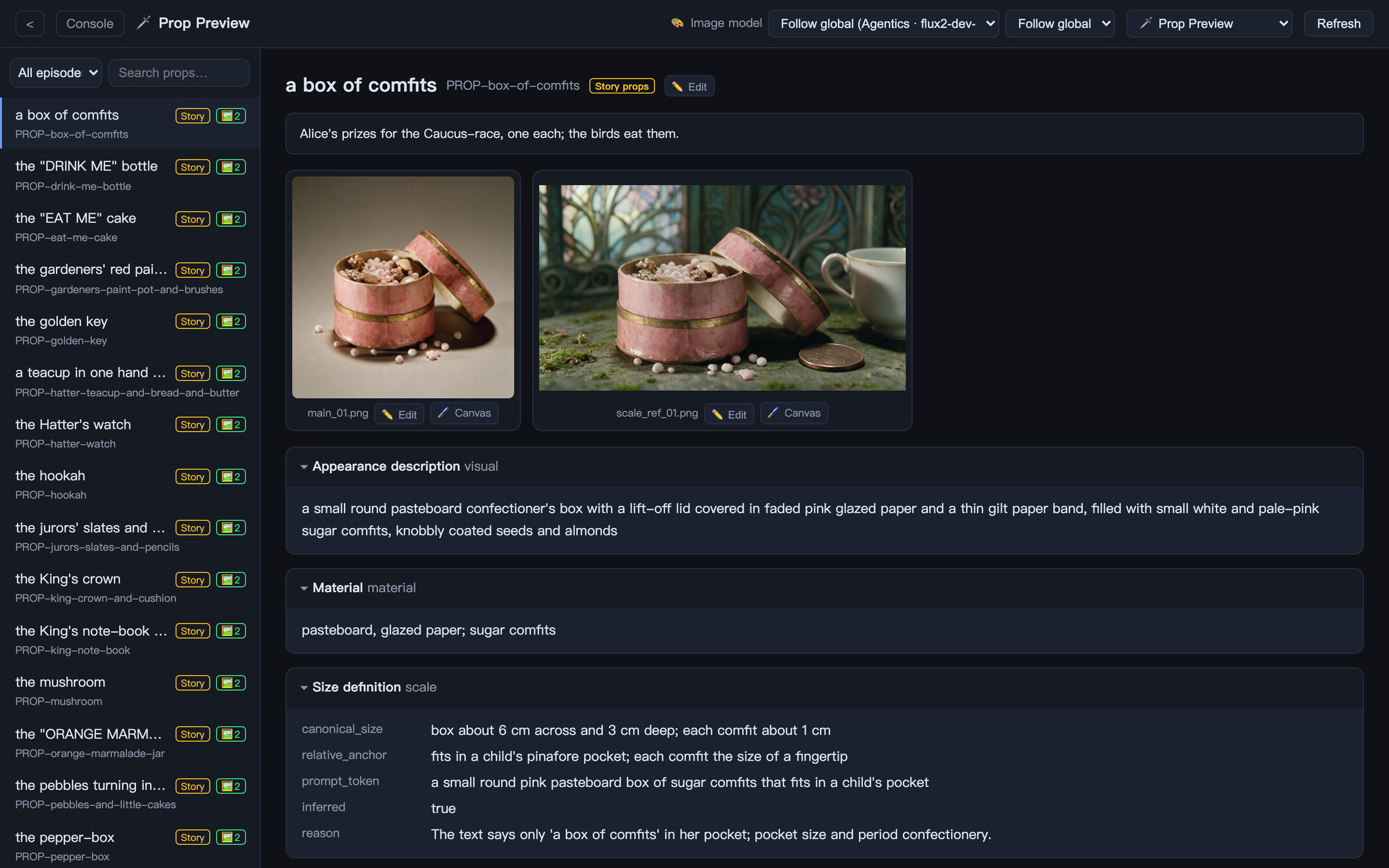
Cards, reference sheets and voice samples for characters, costumes, creatures, scenes and props: one anchor per asset for the whole series.
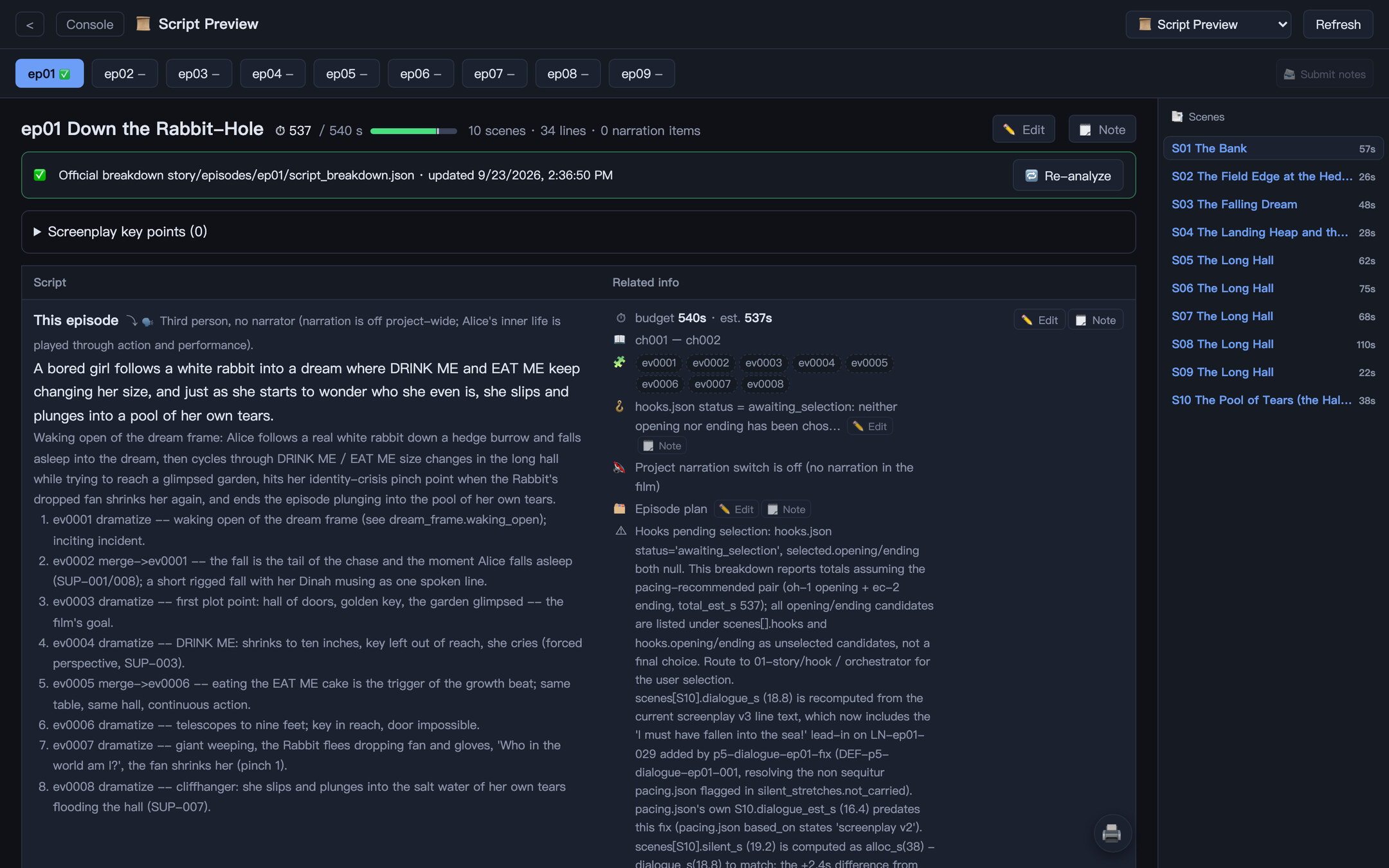
The screenplay beside its timing, emotion, pacing and hook analysis. Send a revision note for any block to the agent that owns it.
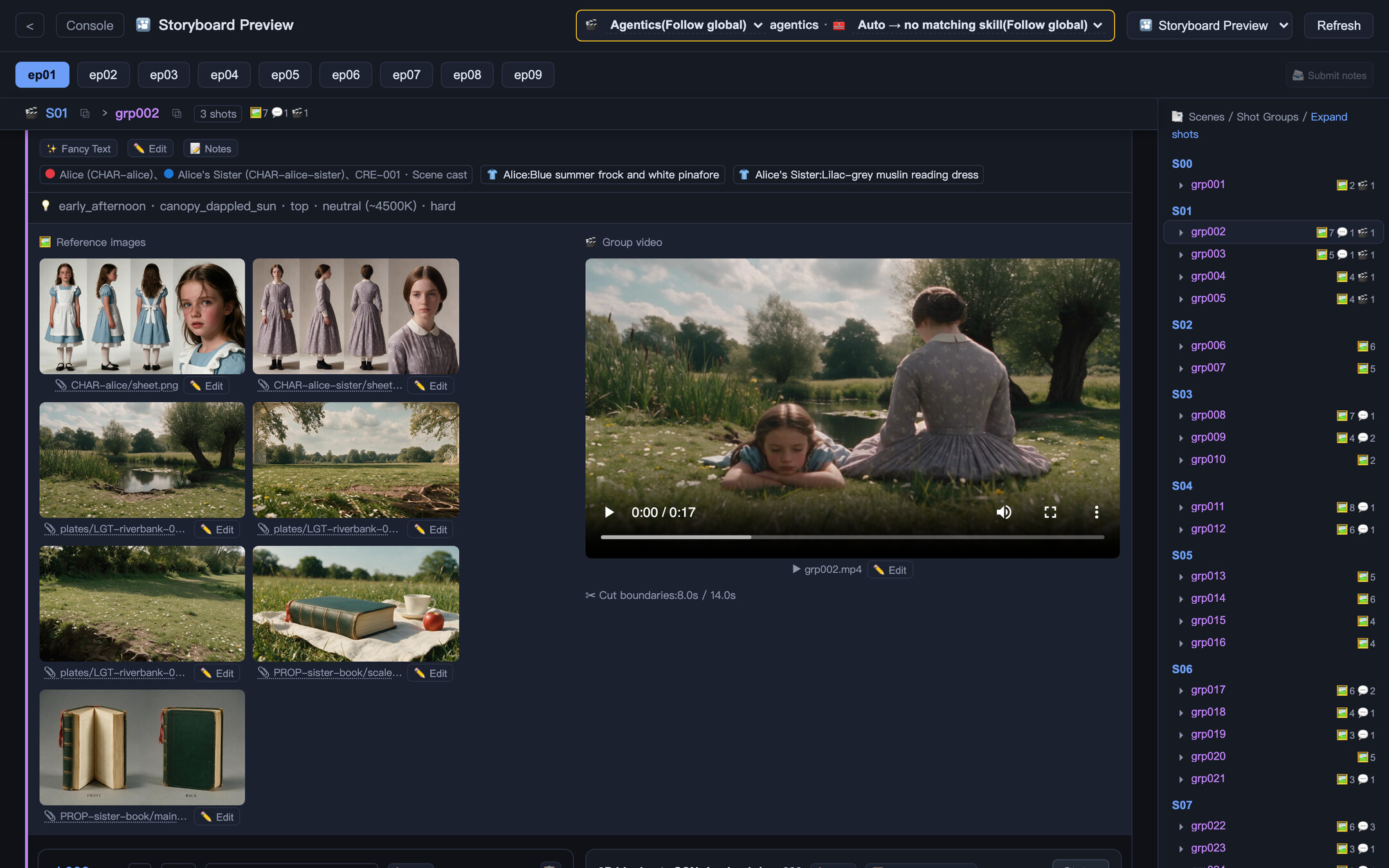
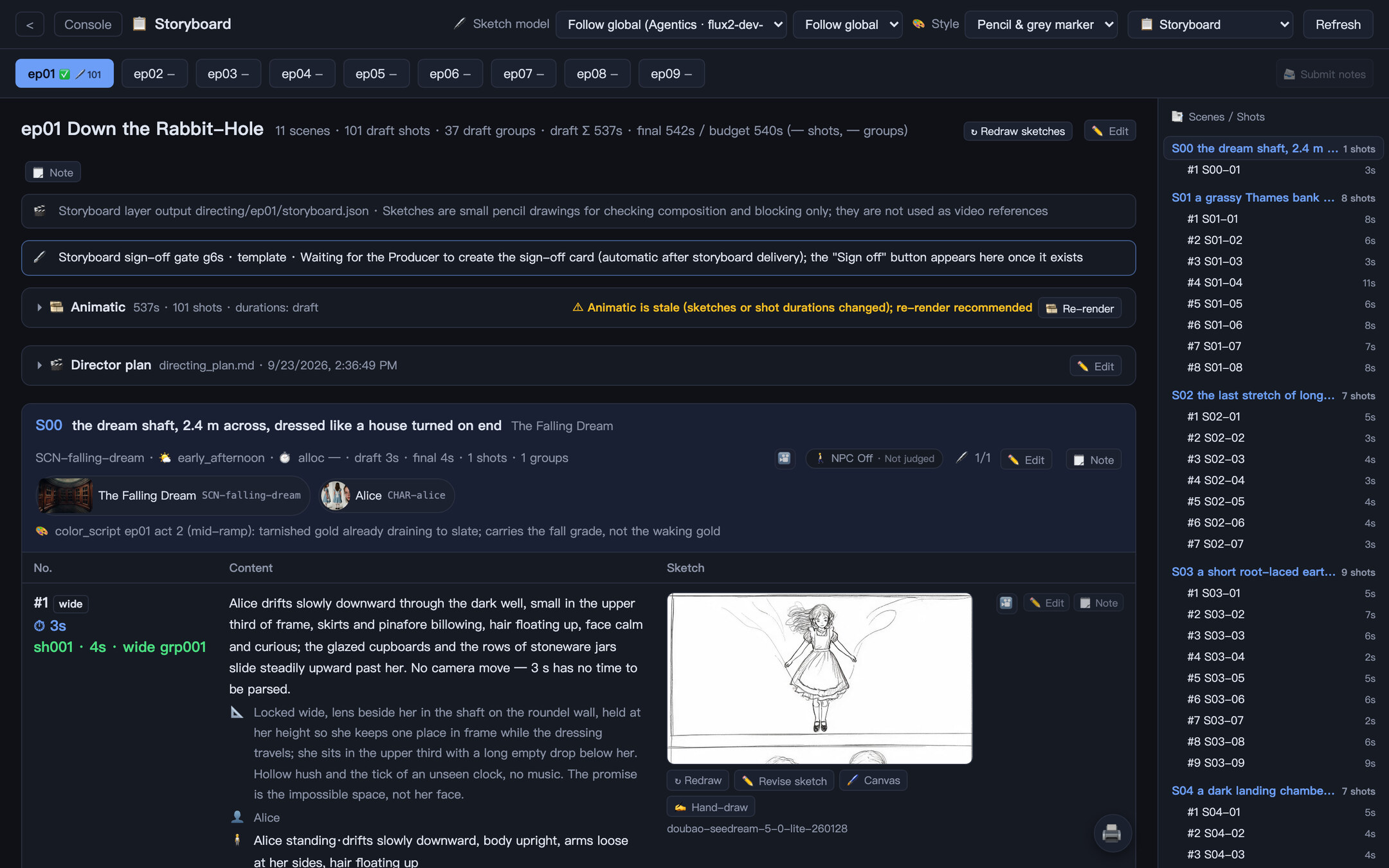
A shot table with pencil sketches, drawn in bulk with a cheap image model or by hand on your phone, then cut into an animatic with no generation cost.
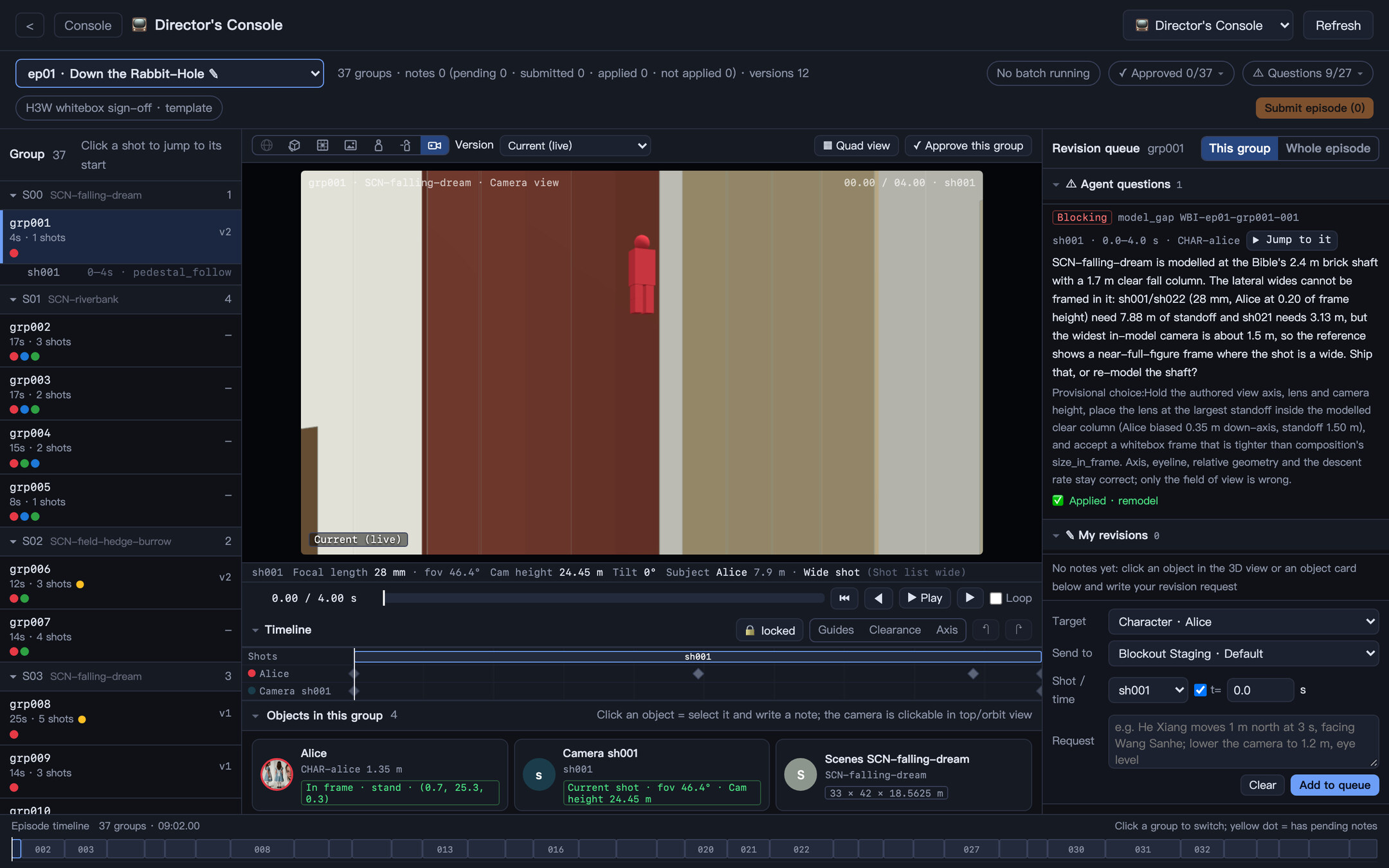
Metric-scale sets with keyframed actors, props and cameras. The exported camera pass becomes the reference video for generation.
Click any actor, prop or camera to leave a note, or drag them yourself. Every change is versioned and comparable A|B.
Prompts are written shot by shot from the shot list, and each generation group carries the sheets, plates and props it must match.
Native dialogue from the video model, designed or cloned voices, a per-project music library, sound effects and the final mix.
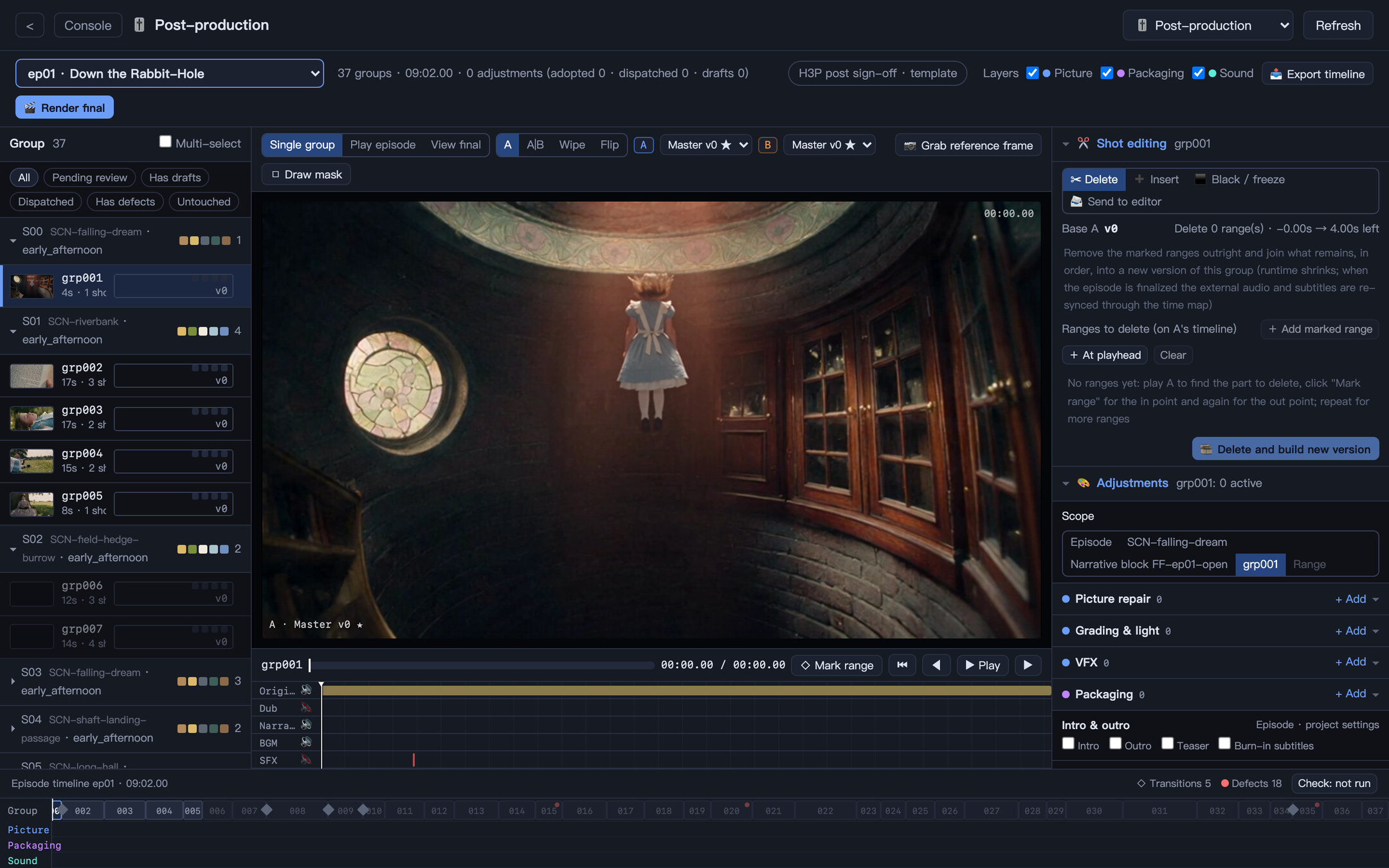
Grading, repair, VFX, packaging and sound as adjustments scoped from a whole episode down to a time range. Masters are never overwritten.
Off by default. Shots flagged for adult content run on your fallback language, image and video models while the rest stays on your main models, and a refused shot moves to the fallback on its own.
Logic, character consistency, timeline, world consistency, picture, audio, content safety and copyright are reviewed in parallel.
Free previews first, paid steps after sign-off, reuse before regeneration, draft resolution plus upscale, and cheap models for simple jobs.
Declarative plugins add new roles and workflows. Skills teach one agent one craft. Install either from a zip.
Every card, prompt, shot list and QA report is a file in your project, and each generation records its model, provider and references.
Runs on your computer and listens on 127.0.0.1 by default, with a versioned API, OpenAPI docs and live events for integrations.
Bring your own engines and providers. Each modality is configured on its own, so you are never locked into one model or vendor, and you can switch the day a better one ships.
Language-model engines that run the crew. One-click install and sign-in from the app.
Character sheets, plates, props, keyframes and Canvas edits.
Shot generation from the storyboard, with reference sheets attached.
Dialogue and narration, designed or cloned voices.
Score and background music for each project.
Searched from open libraries or generated.
Portrait photos plus a recording become lip-synced speaker video.
Draft resolution first, upscale after sign-off.
Explorable 3D worlds built from scene layouts and panoramas.
Spots refusals worded in plain language so the task moves to your fallback model.
ComfyUI workflows run locally, on Comfy Cloud or on RunningHub. Third-party names and logos are trademarks of their respective owners and are shown only to describe compatible integrations.
Open source. Runs locally. Bring your own engine and provider accounts.
FFmpeg, used for media inspection, audio and editing, ships with the package. Prefer to build it yourself? Run from source.
VideoAgents is an open-source, file-based multi-agent production system that turns an idea into episodic video. 118 specialist agents in 17 departments work through a declarative workflow and stop at human sign-off gates, so the creative direction stays yours.
Yes. VideoAgents is open source under GPL-3.0 and free to download for macOS and Windows. You bring your own model providers and pay them directly; a finished minute of video costs about $3 in generation fees.
Yes. Turn on NSFW mode in Settings → Advanced (it is off by default) and choose fallback language, image and video models, including uncensored AI image and video models you run in ComfyUI. Story analysis flags events for nudity, sex, gore, extreme violence, drugs or self-harm, and flagged shots run on your fallback models while the rest of the series stays on your main models. When a provider rejects a shot for its content, VideoAgents re-submits it once on the fallback provider without spending your retry budget, and a moderation model catches refusals worded in plain language. Content-safety and platform-rating reviews still check every episode before release. NSFW mode is meant for adults (18+) making lawful fiction.
Yes. Import a novel or web serial and the agents build a world bible, characters and assets, a screenplay, a storyboard and a 3D whitebox previs before each episode is generated. You approve the work at up to 12 sign-off gates.
On your computer. The app listens on 127.0.0.1 by default, and the novel, the project files and the generated media stay in a local workspace. Only the model calls you configure leave your machine.
A Mac with Apple silicon or a Windows x64 PC. FFmpeg ships with the package, and the desktop app starts on the built-in Agentics engine and installs Claude Code, Codex CLI, Kimi Code, Pi, OpenCode, Grok Build or Antigravity CLI for you, then opens its sign-in in a terminal.